

Documentation Index
Fetch the complete documentation index at: https://docs.anyx.app/llms.txt
Use this file to discover all available pages before exploring further.
Build High-Converting Landing Pages
Create professional marketing sites in minutes without writing code or hiring designers.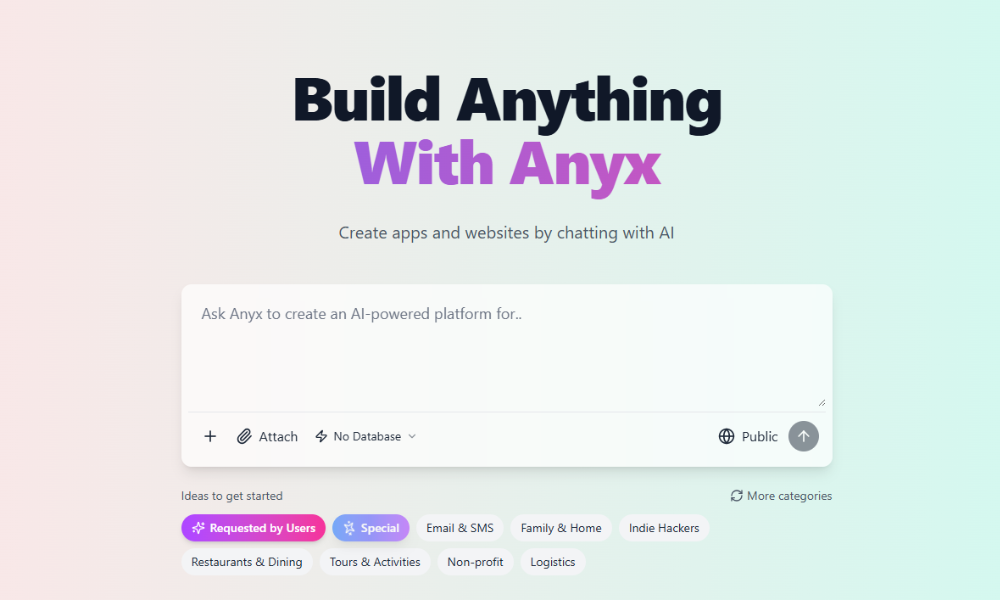
What You Can Build
Product Launch
Announce new products with waitlist captureBuild time: 8-10 minutes
Personal Portfolio
Showcase work, skills, and contact infoBuild time: 8-10 minutes
Event Landing Page
Promote conferences, webinars, workshopsBuild time: 10-12 minutes
Agency Site
Professional services with case studiesBuild time: 12-15 minutes
Example Prompts
SaaS Product Launch
SaaS Product Launch
- Fully designed page with animations
- Responsive (mobile-friendly)
- AI chat widget for qualification
- Email integration (Mailchimp/ConvertKit compatible)
- Auto-deployed to production
Perfect for SaaS founders launching products
Personal Portfolio
Personal Portfolio
- Clean, portfolio-grade design
- Image gallery with lightbox
- Contact form connected to email
- Custom domain support
- PDF resume download (if provided)
Perfect for designers, developers, creators
Event Landing Page
Event Landing Page
- Event-optimized layout
- Real countdown timer
- Calendar integration (.ics download)
- Payment processing (Stripe)
- AI session recommender
Perfect for conference organizers, webinar hosts
Agency Site
Agency Site
- Multi-page site (Home, Services, About, Contact)
- CRM integration ready
- Calendar booking (Calendly/Cal.com)
- AI lead qualification
- Case study templates
Perfect for agencies, consultancies, service businesses
Landing Page AI Features
Every landing page automatically gets intelligent features:- AI Lead Assistant
- Personalized Copy
- Smart Forms
- Objection Handling
- “What’s your team size?” → Routes to right pricing tier
- “What’s your main challenge?” → Personalizes demo
- “Ready to book a call?” → Schedules meeting
- “Any questions?” → Answers from your FAQ/docs
- 40% reduction in bounce rate
- 25% higher conversion rate
- Qualified leads only (saves sales time)
Tips for High-Converting Landing Pages
Clear Value Prop
First sentence matters✅ “AI writing tool for content marketers”
❌ “Transform your workflow”Be specific about WHAT and WHO
❌ “Transform your workflow”Be specific about WHAT and WHO
Visual Hierarchy
Guide attention with design
- Big hero heading
- Benefits above fold
- Social proof early
- Clear CTA button
Social Proof Early
Build trust immediately
- Customer logos (if B2B)
- “Used by 10,000+ marketers”
- Testimonials with photos
- Trust badges (SOC 2, GDPR)
Single Clear CTA
One main action✅ “Start Free Trial” (everywhere)
❌ Multiple CTAs (confusing)Make it obvious what to do next
❌ Multiple CTAs (confusing)Make it obvious what to do next
Common Mistakes to Avoid
Too much text
Too much text
❌ Long paragraphs explaining everything✅ Bullet points, short sentences, visualsWhy: Users scan, not read. Make it skimmable.
Generic stock photos
Generic stock photos
❌ Fake corporate people shaking hands✅ Real product screenshots, actual team photosWhy: Authenticity builds trust. Stock photos feel fake.
Slow loading
Slow loading
❌ Huge uncompressed images, videos autoplay✅ Optimized images, lazy loading, fast fontsWhy: Every second of delay = 7% conversion loss.
No mobile optimization
No mobile optimization
❌ Desktop-only layout, tiny buttons✅ Mobile-first design, thumb-friendly CTAsWhy: 50%+ traffic is mobile. Don’t lose half your visitors.
Weak headline
Weak headline
❌ “Welcome to our website”✅ “Ship AI-Powered Apps in 10 Minutes”Why: You have 3 seconds to hook visitors. Be specific.
Hidden pricing
Hidden pricing
Landing Page Structure Guide
Essential Sections (In Order)
Hero Section
What to include:
- Compelling headline (value prop)
- Subheading (clarifies who/what/why)
- Primary CTA button
- Hero image or video
- Social proof snippet (“Used by 10K+ teams”)
Benefits/Features
What to include:
❌ “AI-powered writing” (feature)Goal: Show value quickly
- 3-5 key benefits (not features)
- Icons or illustrations
- Short descriptions (1-2 sentences each)
❌ “AI-powered writing” (feature)Goal: Show value quickly
Social Proof
What to include:
- Customer testimonials (3-5)
- Company logos (if B2B)
- Metrics (“10K+ users”, “4.9★ rating”)
- Trust badges (security, compliance)
How It Works
What to include:
- 3-step process
- Visual diagram or screenshots
- Simple language
- Sign up (30 seconds)
- Describe your app
- Deploy & share
Pricing (if applicable)
What to include:
- Clear tiers (Free, Pro, Enterprise)
- Feature comparison
- Highlight most popular
- Clear CTAs per tier
FAQ
What to include:
- 5-8 common questions
- Short, clear answers
- Preempt objections
Performance Tips
- Speed Optimization
- Mobile First
- SEO Basics
- Analytics Ready
Anyx automatically handles:
- Image compression
- Lazy loading
- Code splitting
- CDN delivery
Real Results
WriteFlow AI
Before Anyx: Generic Wix templateAfter Anyx: Custom landing page with AI chatResults:
- Conversion rate: 7% → 18%
- Time to build: 2 weeks → 10 minutes
- Cost: 0
DevConf 2025
Before Anyx: Basic event pageAfter Anyx: Interactive page with AI recommenderResults:
- Registration rate: 12% → 28%
- Session engagement: +45%
- Support tickets: -60% (AI answered questions)
Ready to Build?
Create Your Landing Page
Copy one of the prompts above, customize it, and launch in 10 minutesWhat you’ll get:
- Professional design
- AI-powered features
- Mobile responsive
- SEO optimized
- Deployed & live
More Examples
See more landing page prompts
AI Features Deep Dive
Learn about intelligent capabilities
Need help with your landing page?
- Share your draft prompt in Discord
- Email support@anyx.app
- Book a strategy call